Product
Browser Automation Is Live in Orbit: Your Agents Can Now Use Any Website
Orbit agents can now open a real browser, sign in as you, and click, type and read their way through any website. You can watch it live.
Most of the work in a business still happens on websites. A supplier portal, an ads dashboard, a booking system, an admin panel someone built in 2016. None of them have an API your agent can call, so until now that work stopped at the same place every time: the agent wrote the plan, and you did the clicking.
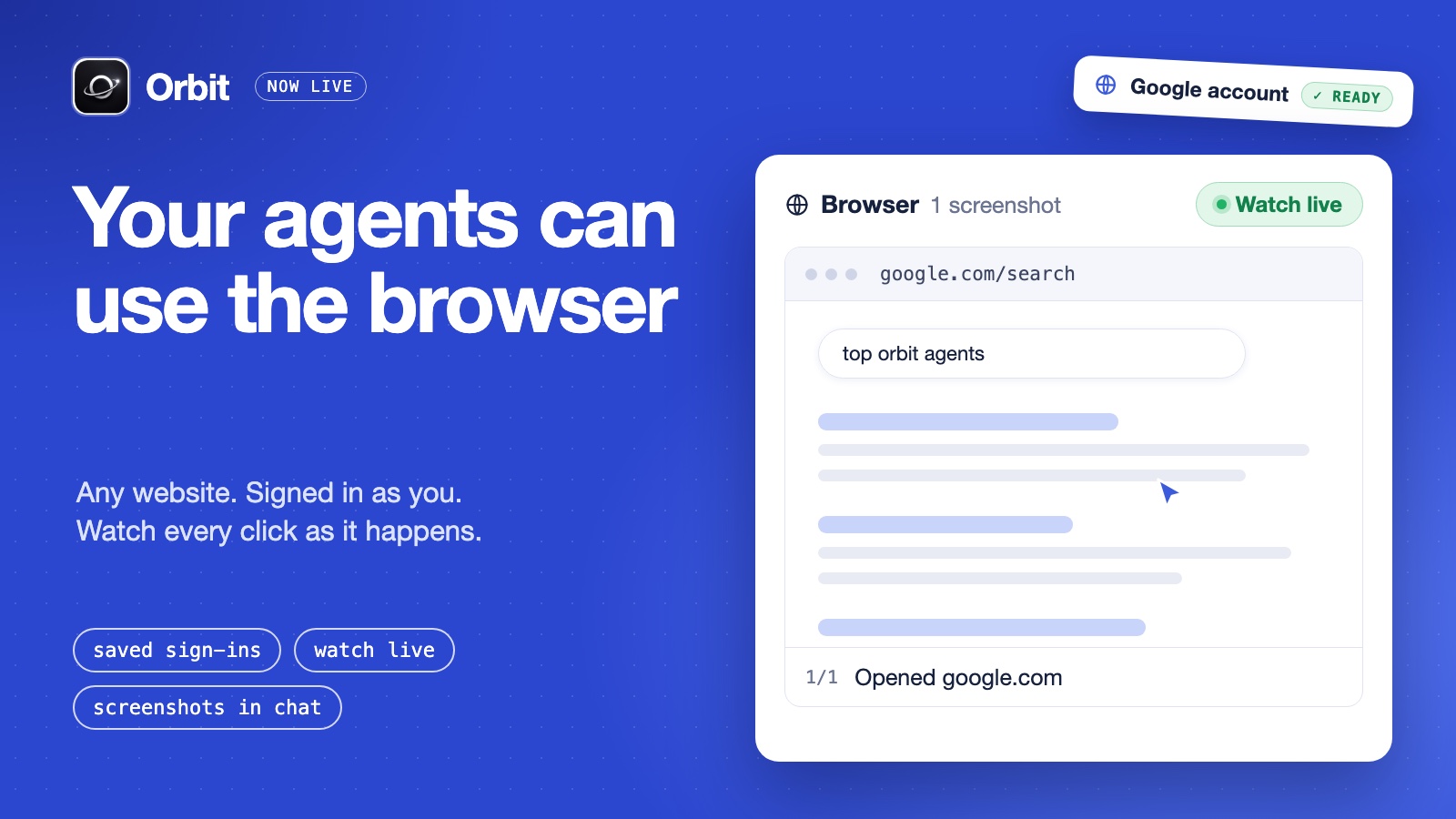
That changes today. Browser automation is live in Orbit. Your agents can open a real browser, go to a page, click, type, fill in forms and read what is on screen. They can do it signed in as you, and you can watch it happen.
What your agents can do in a browser
For years this kind of work belonged to robotic process automation: scripts that follow a fixed path through a screen. AI models have been able to operate a screen themselves since Anthropic showed computer use in late 2024, and that is what makes this practical for a small team.
You do not write scripts or selectors. You tell the agent what you want in plain words, the same way you already give it any other task, and it works through the page step by step.
- Open any public web address
- Click, type and fill in forms, described in plain language
- Read the page, or pull out exactly the fields you asked for
- Look at what can be clicked or filled before it acts
- Close the browser when the job is done (Orbit also closes it when the run ends)
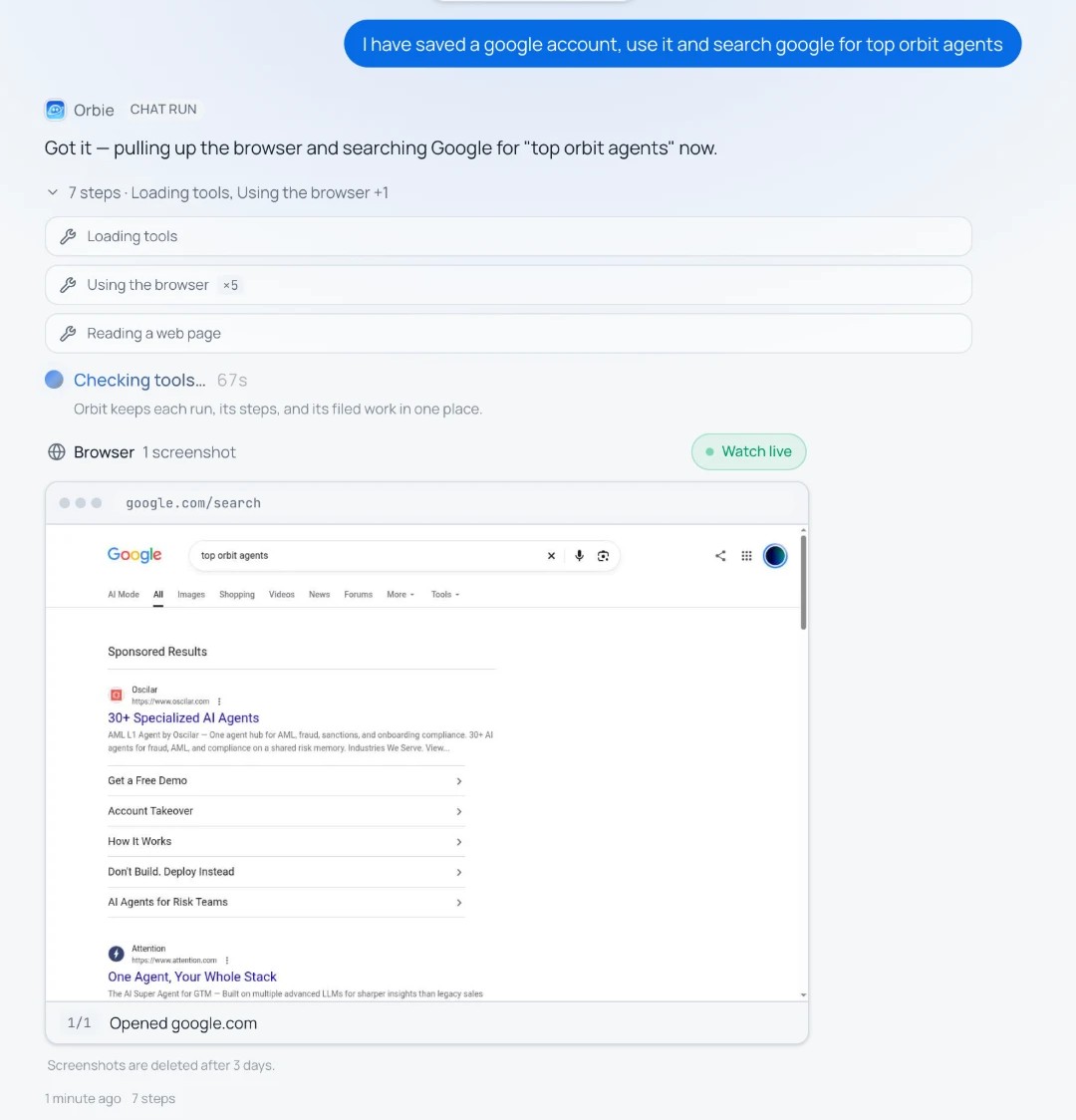
Here is the first thing I asked Orbie in Work mode after I saved a Google account:
I have saved a google account, use it and search google for top orbit agents
Orbie opened the browser, ran the search as that account, and the page showed up in the chat as it went.
Sign in once, and your agents browse as you
The interesting websites are the ones behind a login. So the second half of this release is saved sign-ins.
The part I care about most is how the sign-in happens. You do not paste a password into Orbit, and you do not hand one to an agent. Orbit opens a real browser inside the page and you sign in yourself, the way you normally do. Orbit keeps the signed-in browser session. It never sees your password.
Setting one up takes about a minute:
- Go to Connectors and find the Browser sign-ins card.
- Press Add a sign-in, give it a name and paste the site's sign-in page.
- A browser opens in the page. Sign in as you normally would.
- Press I'm signed in. Your agents can now open that site as you.
What you control after that:
- Which agents may use it. Open a sign-in to every agent, or tick the ones you trust with it.
- Sign in again. Logins expire. If a site asks the agent to sign in again, the agent marks the sign-in and tells you, and the card shows "Sign in again".
- Remove. Delete a sign-in at any time.
- One browser per sign-in at a time. Two browsers on the same account can make a site sign you out, so Orbit does not allow it.
A workspace can save up to 10 sign-ins.
Watch it live, and check every step afterwards
Handing a browser to an agent only works if you can see what it does. This is where Orbit differs from a script running somewhere you cannot look.
While a run's browser is open, the run shows a Watch live button. Press it and you see the browser as the agent drives it. You watch, you do not click, so you cannot knock the agent off course by accident.
Every page the agent opens and every click or typing step also leaves a screenshot in the chat. They appear as a small browser window on the run's message, with the page address on top and what the agent did underneath. You can step through them one by one after the run, which makes it easy to see exactly where something went right or wrong.
Screenshots are deleted after 3 days. Saved sign-ins stay until you remove them.
What to use it for
The honest answer is: anything you can do in a browser tab. A few places to start.
- Tools with no API. Supplier and partner portals, booking systems, old admin panels. If it has a login page and a form, an agent can work in it.
- Numbers from logged-in dashboards. "Open the ads dashboard, read this week's spend and results, and file a short report." The report lands in your Vault, where your other agents can use it.
- Forms and submissions. Directory listings, vendor forms, applications. The repetitive kind you put off for weeks.
- Research that needs clicking. Listing sites, pricing pages with tabs, results behind filters. A plain page fetch cannot reach those. A browser can.
- Checking your own product. "Go through our signup page and tell me if anything is broken or confusing."
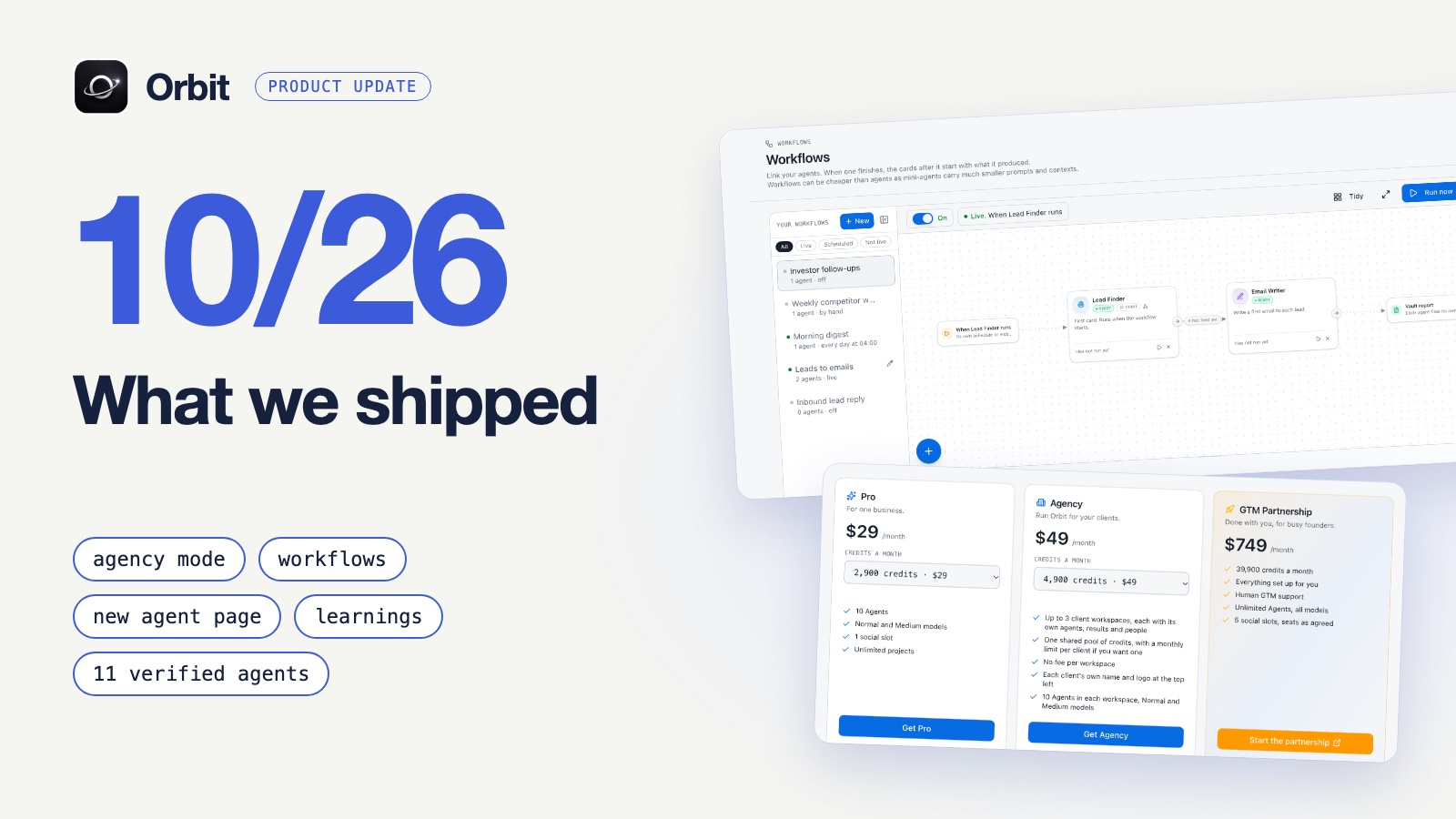
Because this runs inside Orbit, the browser is one more skill for agents that already share memory, schedules and a place to file their work. An agent can run a browser task every Monday at 8, save what it found, and hand it to the next agent. If you want to see how the rest of that fits together, the October update covers workflows and agents that schedule themselves.
Browser, connector or web search: which one the agent should use
A browser is the most flexible tool an agent has, and also the slowest. It is not the right tool for everything.
| The job | Best tool | Why |
|---|---|---|
| LinkedIn, email, WhatsApp, Telegram and other connected channels | The connector | Faster, built for the platform's limits |
| Finding information on the public web | Web search and page reading | Seconds instead of minutes, no browser time |
| A site with a login and no connector | The browser, with a saved sign-in | The only way in |
| Forms, buttons, filters, multi-step pages | The browser | Needs real clicks |
A good rule: if a connector exists, use it. If the answer is on a public page, search for it. Use the browser for everything else, which turns out to be a lot.
Limits and cost, plainly
- One run gets up to 10 minutes of open browser and 40 screenshots.
- Browser time is charged in credits by the minute: 1 minute is 2 credits, 5 minutes is 7, 10 minutes is 14. Each browser step also costs the usual 1 credit. The window you sign in through is free.
- Some sites, Google among them, show a "prove you are not a robot" check (a CAPTCHA) to browsers in the cloud. That can stop a run, so for plain searching the built-in web search is the better tool.
- The browser works for agents that run inside Orbit, including Orbie in Work mode. Outside AI tools connected to Orbit do not get it yet.
Try it
Open Orbit, go to Connectors, add your first sign-in, then ask Orbie in Work mode to do one task you would normally do by hand in a browser tab. Watch it live the first time. It is the fastest way to trust it.
This is what we mean by Build the AI empire that runs with you, the operating system for Claude, Codex, ChatGPT and more. Your agents already shared a memory. Now they have hands on the web too.
Frequently asked questions
- Does Orbit store my passwords?
- No. You sign in yourself in a browser Orbit opens for you. Orbit keeps the signed-in session so your agents can reuse it, and never sees the password. You can remove a sign-in at any time.
- Can I watch what the agent is doing?
- Yes. Press Watch live on a running browser task to see it as it happens. Every step also leaves a screenshot in the chat, kept for 3 days.
- Which websites does it work on?
- Any public website. Sites behind a login work once you have saved a sign-in for them. A few sites challenge cloud browsers with a robot check, and those can stop a run.
- Do I need to write code or selectors?
- No. You describe the task in plain words, for example "open the pricing page and tell me what the middle plan includes".
- What does it cost?
- Credits, by the minute the browser is open, on top of 1 credit per step. A 5 minute browser task costs 7 credits of browser time.
Build your autonomous AI company
Orbit gives your AI clients shared memory, provisioned tools and agents that run like trained employees.
Get started free