Product
Orbitagents Update, October 2026
Agency mode, Workflows, a new agent page, and agents that learn from their own runs. Everything we shipped in the last few weeks and why it matters.
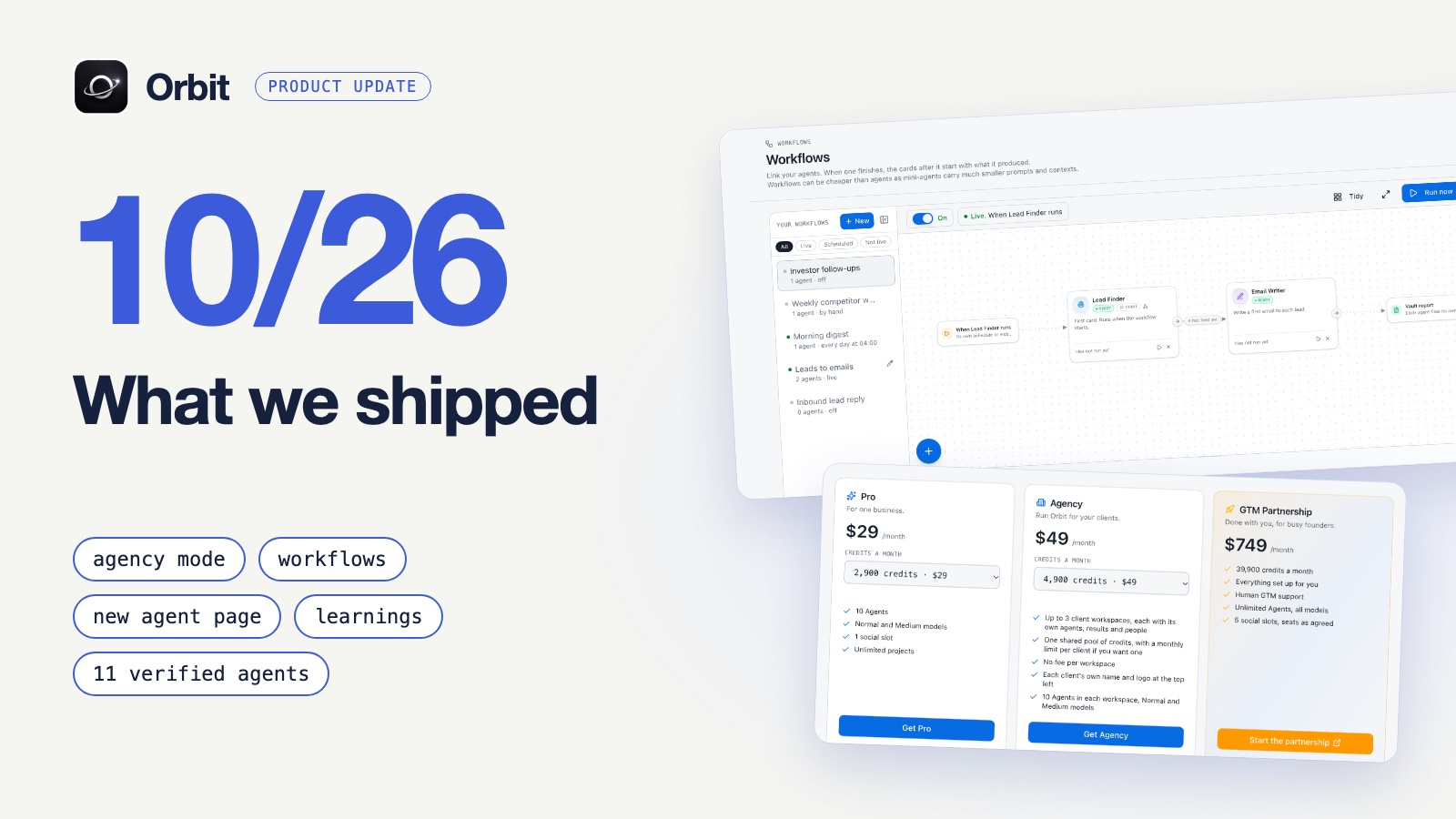
This is the first of these monthly updates. A lot changed in Orbit over the last few weeks, and most of it points the same way: less setup, more of the work running without you, and a clearer view of what your agents did. Here's what's new, and what each piece lets you do that you couldn't do before.
Agency mode: run Orbit for your clients
Until now, Orbit assumed one business per account. If you did marketing or sales work for several clients, you had two bad options: put everyone in one workspace and keep the agents, results and people apart by hand, or pay for an account per client.
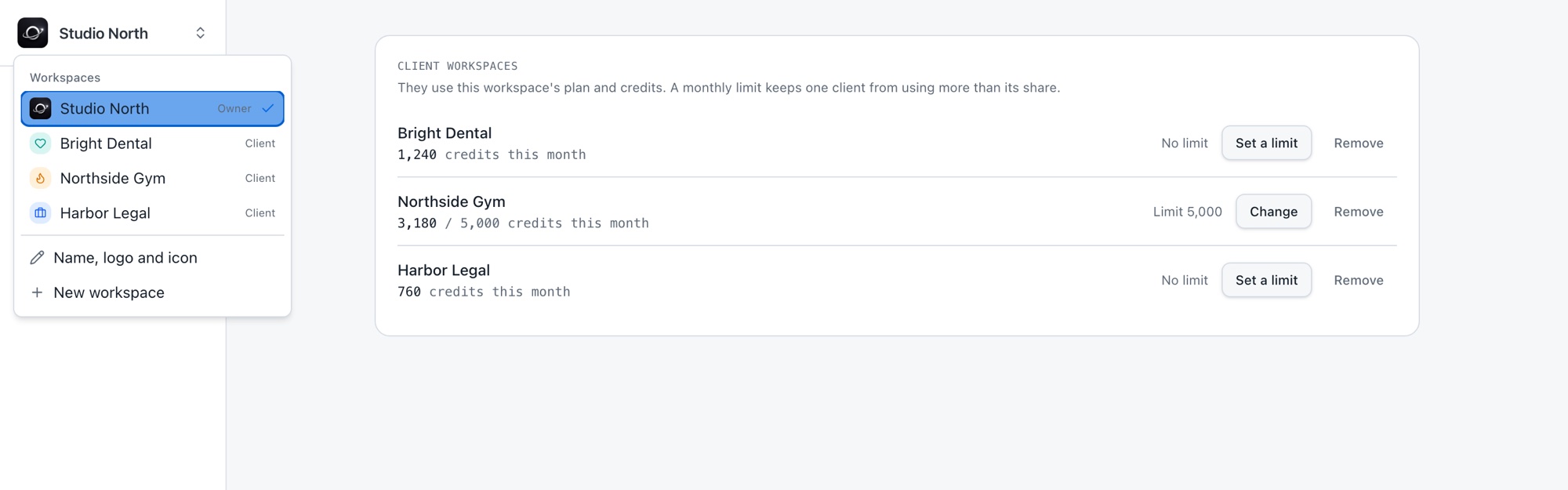
Agency mode fixes that. Every client gets its own workspace, and nothing from one client shows up in another.
- A workspace per client. Its own agents, its own results, its own people.
- The client's name and logo. Paste the client's website and both are filled in at the top left.
- One switcher. Move between clients from the menu at the top left.
- Clean exits. Remove a client and its data is kept and hidden, anything running stops, and the slot is free again.
The part I think matters most is the money side. All your client workspaces spend one pool of credits, and there is no fee per workspace. So adding a client doesn't mean a new subscription. It means a new workspace, and your plan step sets how many you can have. If you're worried about one busy client eating the pool, set a monthly limit on that client.
What this opens up is simple: you can sell agent work as a service. Build a lead finder or an outreach agent once, run it for ten clients, and keep every client's results in a place you could show them.
Workflows: agents that hand work to each other
One agent doing one job is useful. The trouble starts in between. The lead finder finishes, and then you copy its results over to the agent that writes the emails. You were the glue.
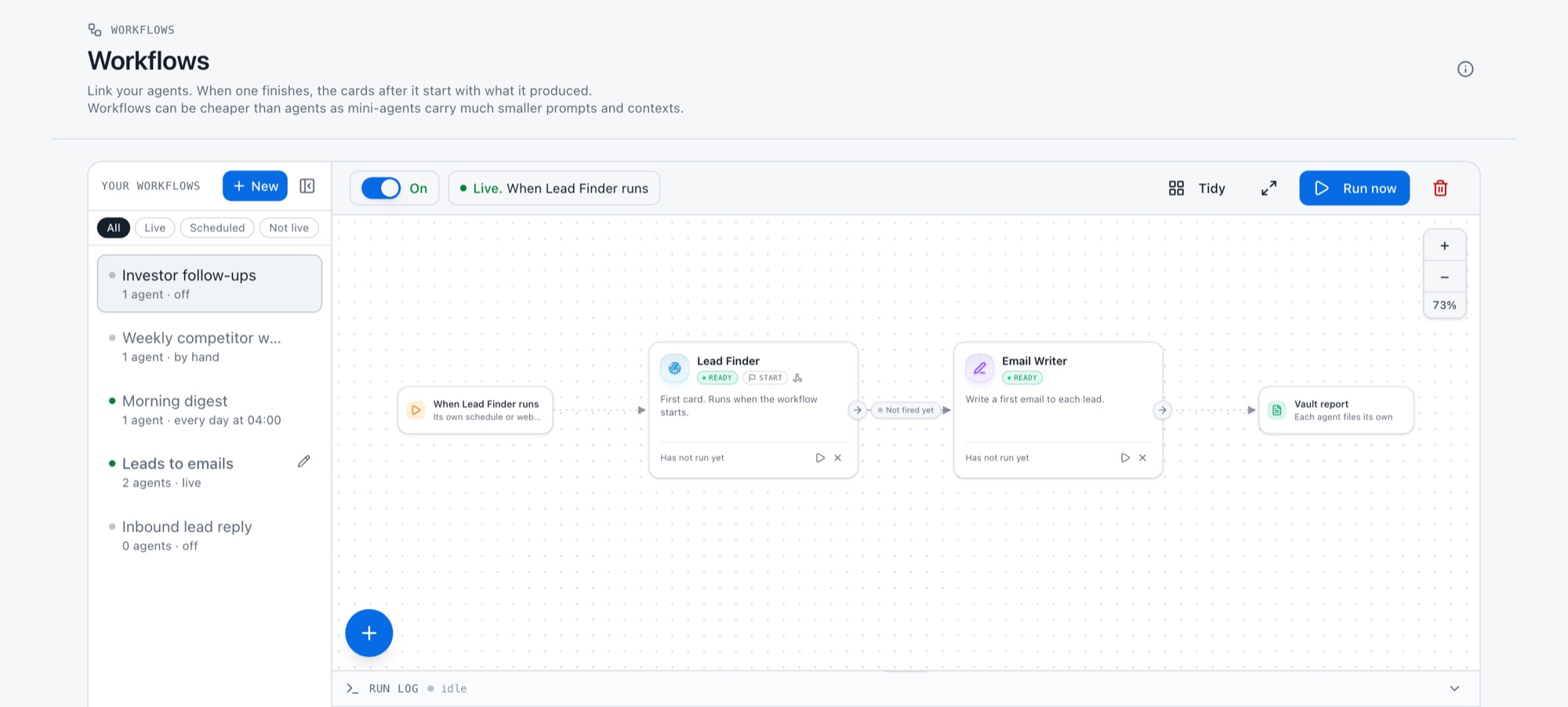
Workflows take you out of that spot. You link agents on a canvas, and when one finishes, the next starts with what it produced.
- A Start card says how it begins: by hand, on a schedule, or from a webhook when another system calls it.
- An End card says what happens after: one report in the Vault, a Telegram message, an email to you, or a signed webhook out to your own system.
- Branches. One agent can start two or more others. Loops are blocked, so a workflow can't run in circles and burn credits.
- Controls. An on/off switch per workflow, a Run now button, a test run per card and a run log.
Not every step needs a full agent, so there are mini agents too. A mini agent is a card that does one exact thing, with one instruction, only the tools you tick and a cap on tool calls. It carries a much smaller prompt, which means it costs less to run than a full agent. Use them for the small steps, like cleaning a list or checking one thing, and save the full agents for the work that needs judgment.
One limit to know about: workflows link agents that run in Orbit. An agent that lives only in an outside AI client is not chained.
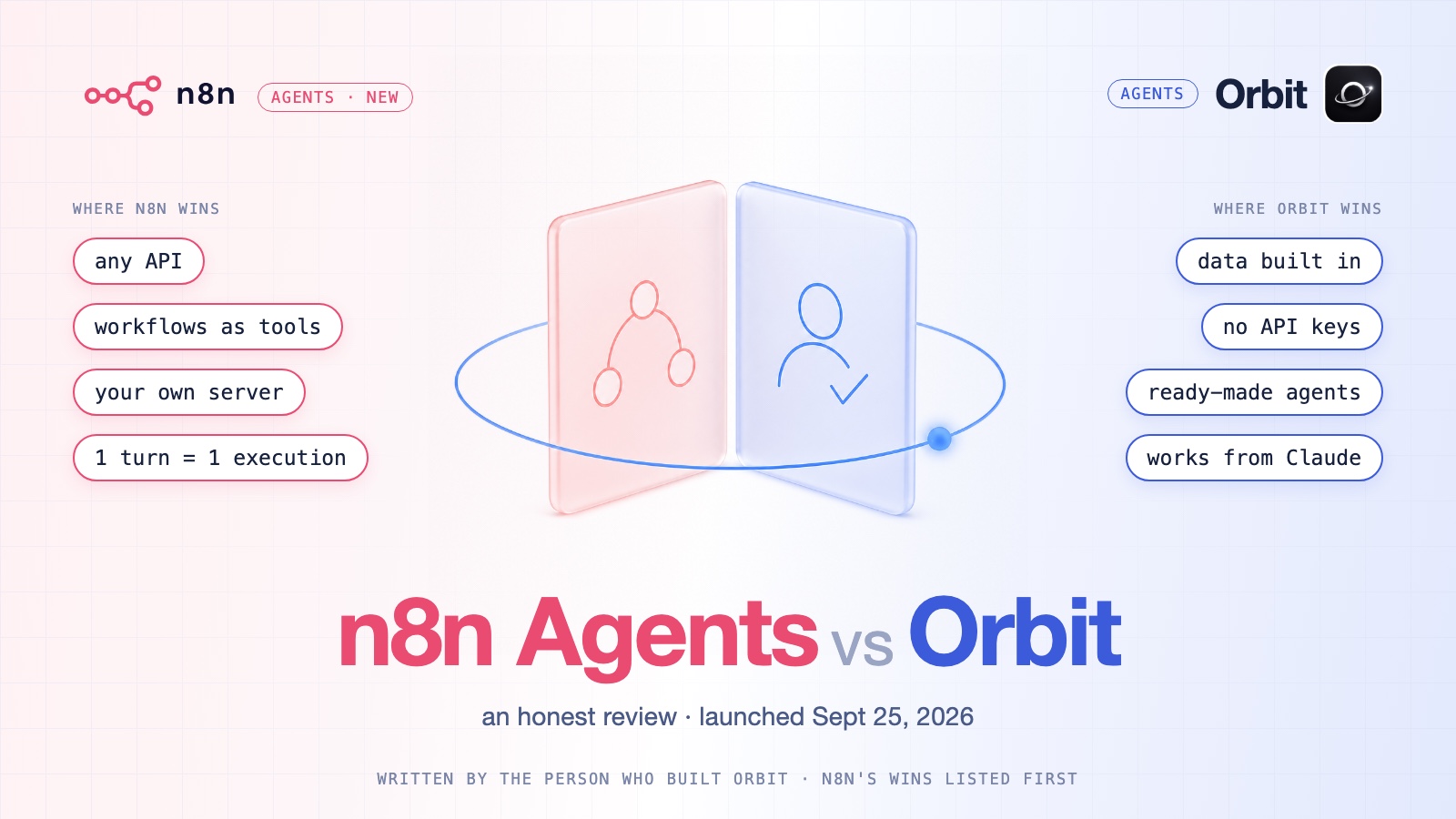
If you're wondering how this sits next to a general automation tool, I compared the two approaches in n8n Agents vs Orbit.
The new agent page
An agent used to open in a pop-up. That was fine when an agent was a prompt and a schedule. It stopped being fine once agents had runs worth reading, tools worth choosing and settings worth checking.
So an agent now opens as its own full page, with six tabs: Chat, Insights, Activity, Sequence, Configurations and Settings. It opens on Activity, because the first thing you usually want to know is what it did. The header shows the agent's name (click it to rename), where it runs, its status and its credits this month.
Two of those tabs are new, and they're the reason for the change.
Sequence: see what an agent did, and correct it
The hardest part of trusting an agent is that you can't see inside a run. You get a result, and if it's wrong you guess at why.
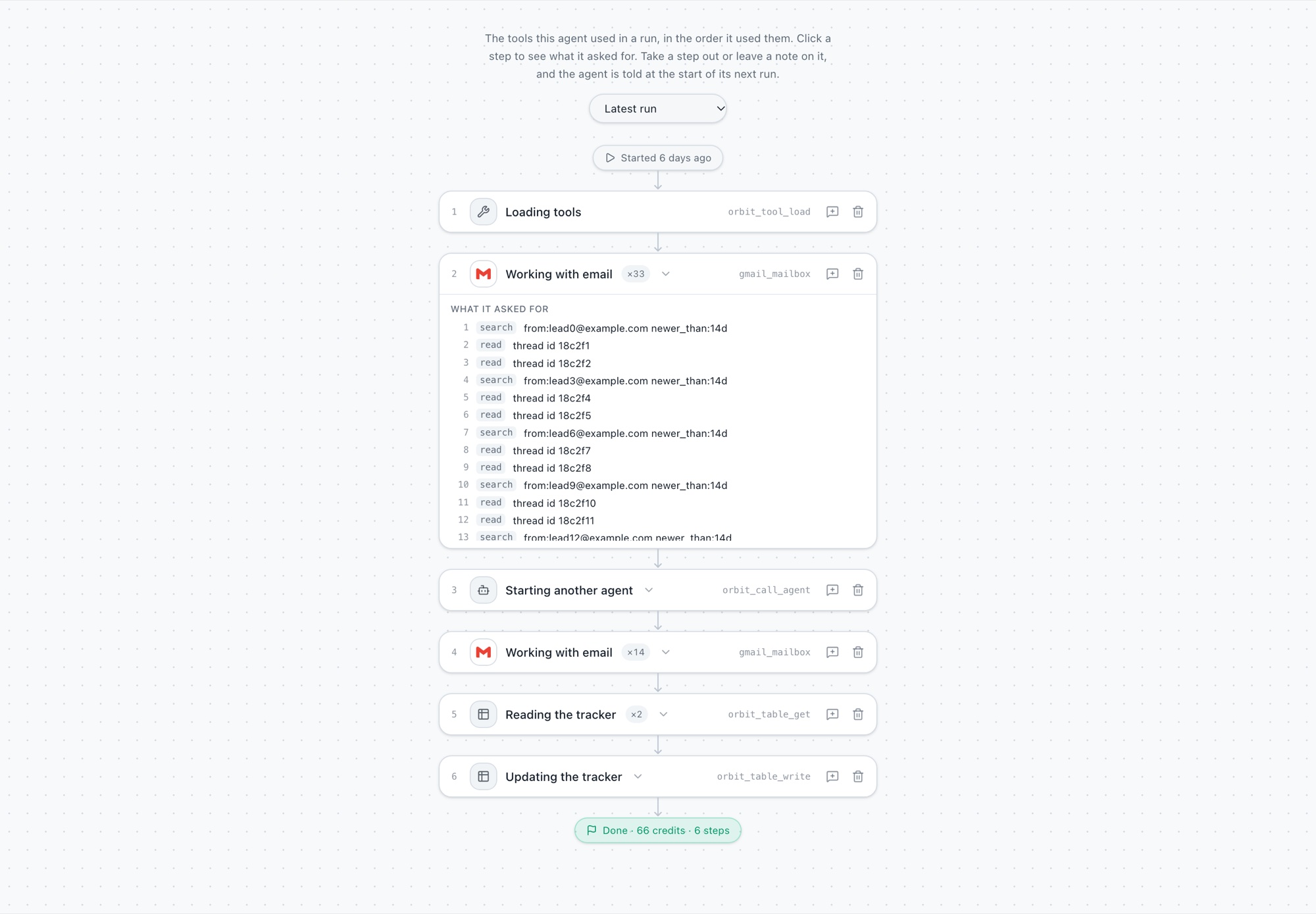
Sequence draws each run as a chain: when it started, one row per step with the tool's logo, then the result and the credits it cost.
- Open a step to see what each call asked for: the search it ran, the page it opened, the tracker it wrote to, who an email went to. Keys and passwords are never shown.
- Take a step out if it was a waste.
- Leave a note on a step if it was close but off. The agent is told at the start of its next run and follows it like its instructions.
- Look back. The latest run or any of the last six.
That turns fixing an agent from rewriting its prompt and hoping into pointing at the step that went wrong. The agent is also given a short record of its last run, so it knows what it did before.
Two honest limits. Sequence shows what each step asked for, not what came back. And steps are recorded for runs Orbit carries out, so an agent that only runs inside an outside AI client has no step record.
Configurations: everything about an agent in one place
Before, the things that define an agent were spread around. Its instructions were in one spot, its schedule in another, its tools somewhere else.
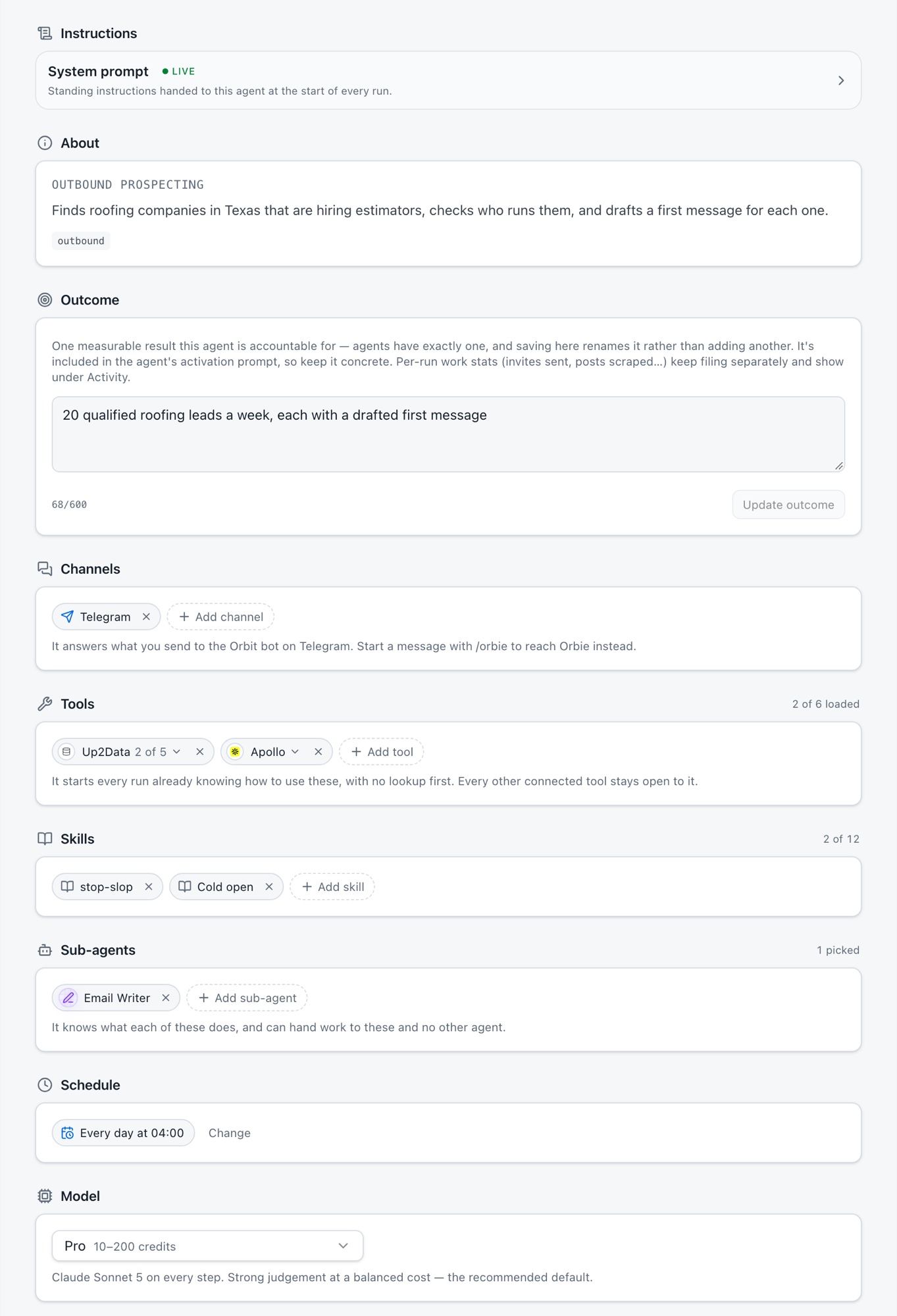
Configurations puts all of it on one tab, top to bottom: instructions, outcome, channels, tools, skills, sub-agents, schedule, model, context, workflows, trackers, files and memory. If you want to know why an agent behaves the way it does, the answer is on this page.
A few of those sections give you control you didn't have:
- Tools. Pick which tools the agent starts every run with, and limit a tool to some of its actions, so an agent that should only read can't send.
- Sub-agents. Pick which agents this one may hand work to.
- Channels. Telegram today. The agent answers what you send to the Orbit bot.
- Webhooks, both ways. Another system can start the agent with a POST, and a finished run can be sent to your own URL.
Agents can schedule themselves
Scheduling used to be a form. Now you can just say it. Tell an agent in chat to run every weekday at nine, and it sets that up.
It goes a bit further than its own schedule. An agent can schedule another agent, and if you describe a job you want repeated that no agent does yet, it can suggest a new one for it.
We were careful about where this stops:
- Only when you ask in chat. A scheduled or automatic run can't change a schedule, so nothing can quietly reschedule itself overnight.
- No silent new agents. The agent suggests one, and nothing is made until you press Add.
- Sensible choices. Hourly, daily, weekdays, weekly, monthly, once, or a custom schedule, with nothing more often than every 15 minutes. Times are read in your own time zone.
Agent learnings
Most agents start every run from zero. Whatever worked last week is gone, unless you went back and wrote it into the prompt yourself.
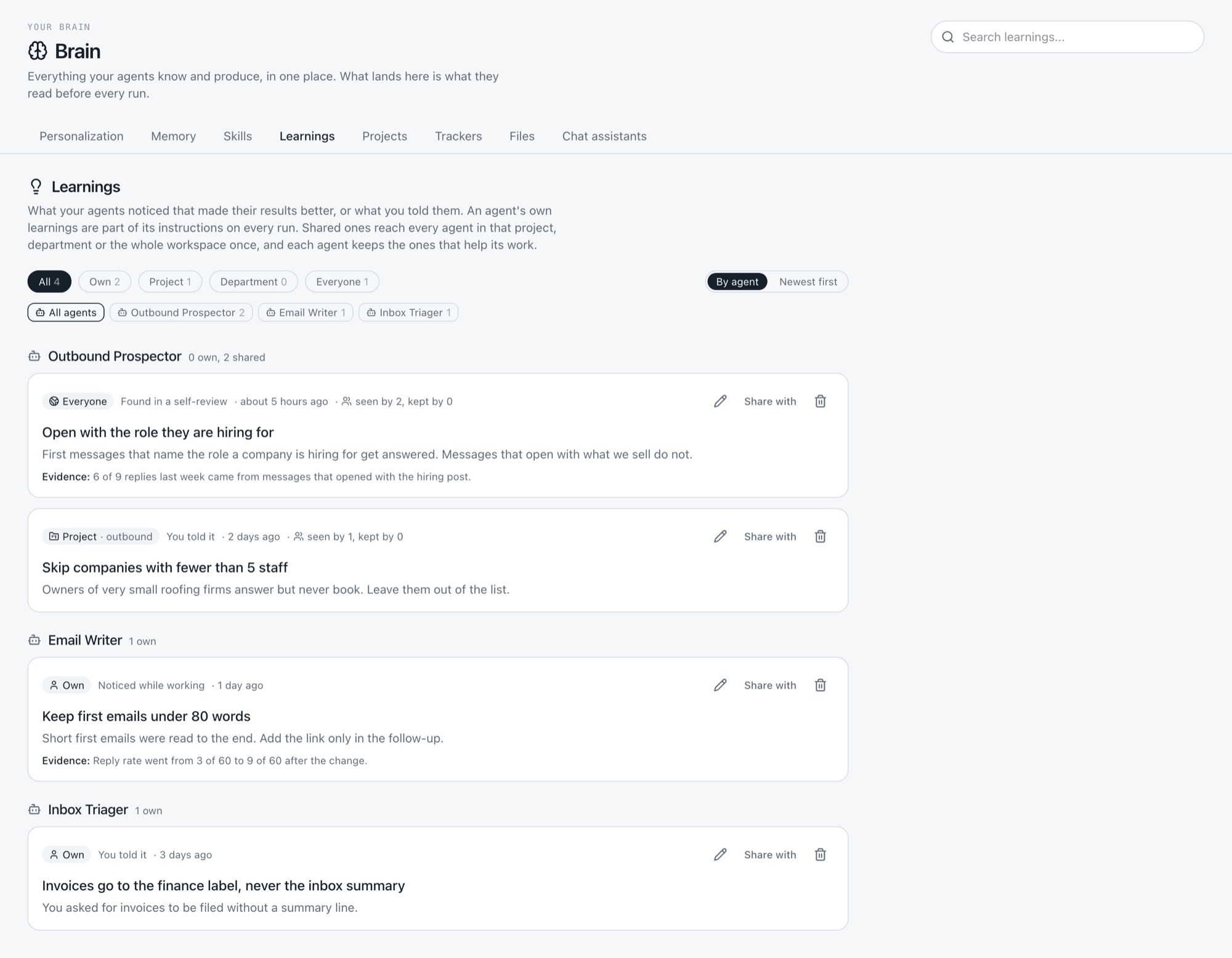
Learnings change that. When something clearly improved an agent's results, or when you told it how you want the work done, it writes that down. Every 10 runs or 7 days it also goes back over its own recent runs and turns what it finds into learnings. Its own learnings become part of its instructions on every run after that.
The bigger idea is sharing. The agent chooses who a learning is for:
- only itself
- its project
- its department
- every agent in the workspace
A shared learning is shown to each of those agents once, and that agent keeps it or ignores it. So when your outreach agent works out what makes a message get answered, your other agents can pick it up without you carrying it over.
You stay in charge of all of it. Brain, then Learnings, shows every learning from every agent. You can edit, share or remove any of them.
Verified agents
A blank prompt box is the slowest way to start. Most people don't want to design an agent. They want one that already does the job.
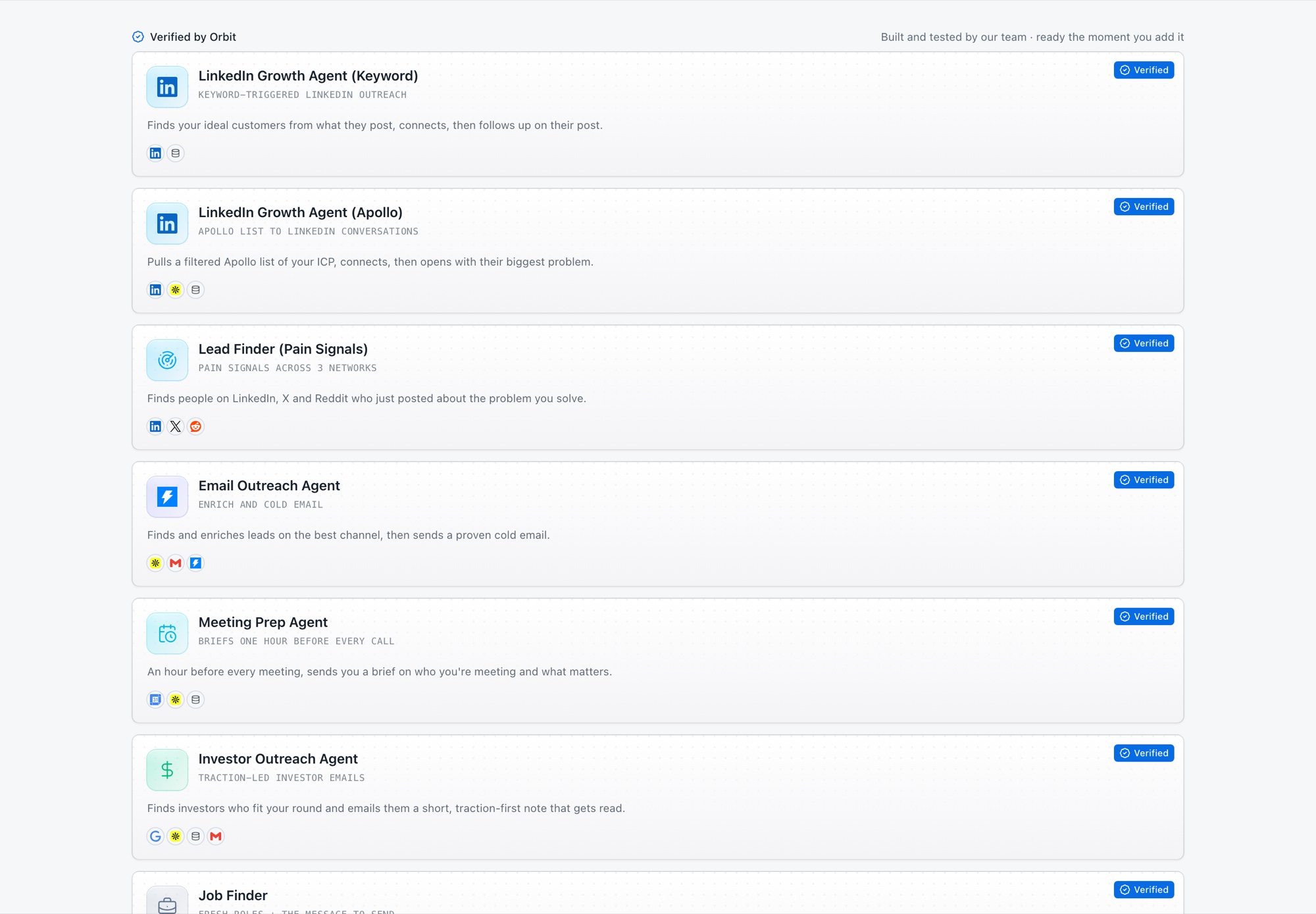
The Marketplace now has a section called Verified by Orbit. These are agents built and tested by the Orbit team, each marked with a blue Verified badge. Each one installs with its finished prompt, so there is nothing to write first. You add it and it's ready.
The eleven today:
- LinkedIn Growth Agent (Keyword)
- LinkedIn Growth Agent (Apollo)
- Lead Finder (Pain Signals)
- Email Outreach Agent
- Meeting Prep Agent
- Investor Outreach Agent
- Job Finder
- Upwork Agent
- X Ghostwriter
- Reddit Agent
- Email Inbox Agent
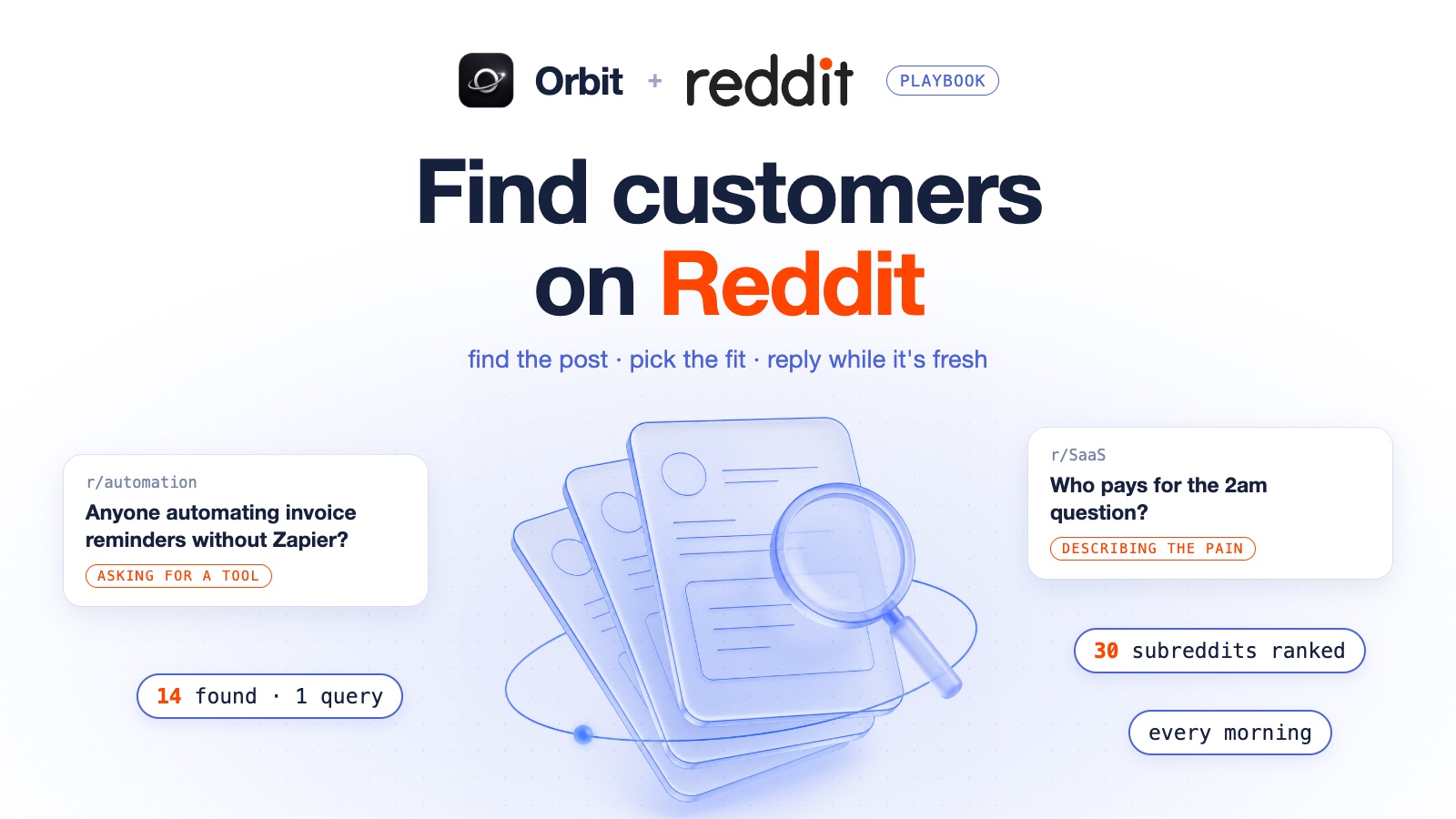
If you want to see one at work, the Lead Finder is the agent behind how to find customers on Reddit.
Pricing: three lanes
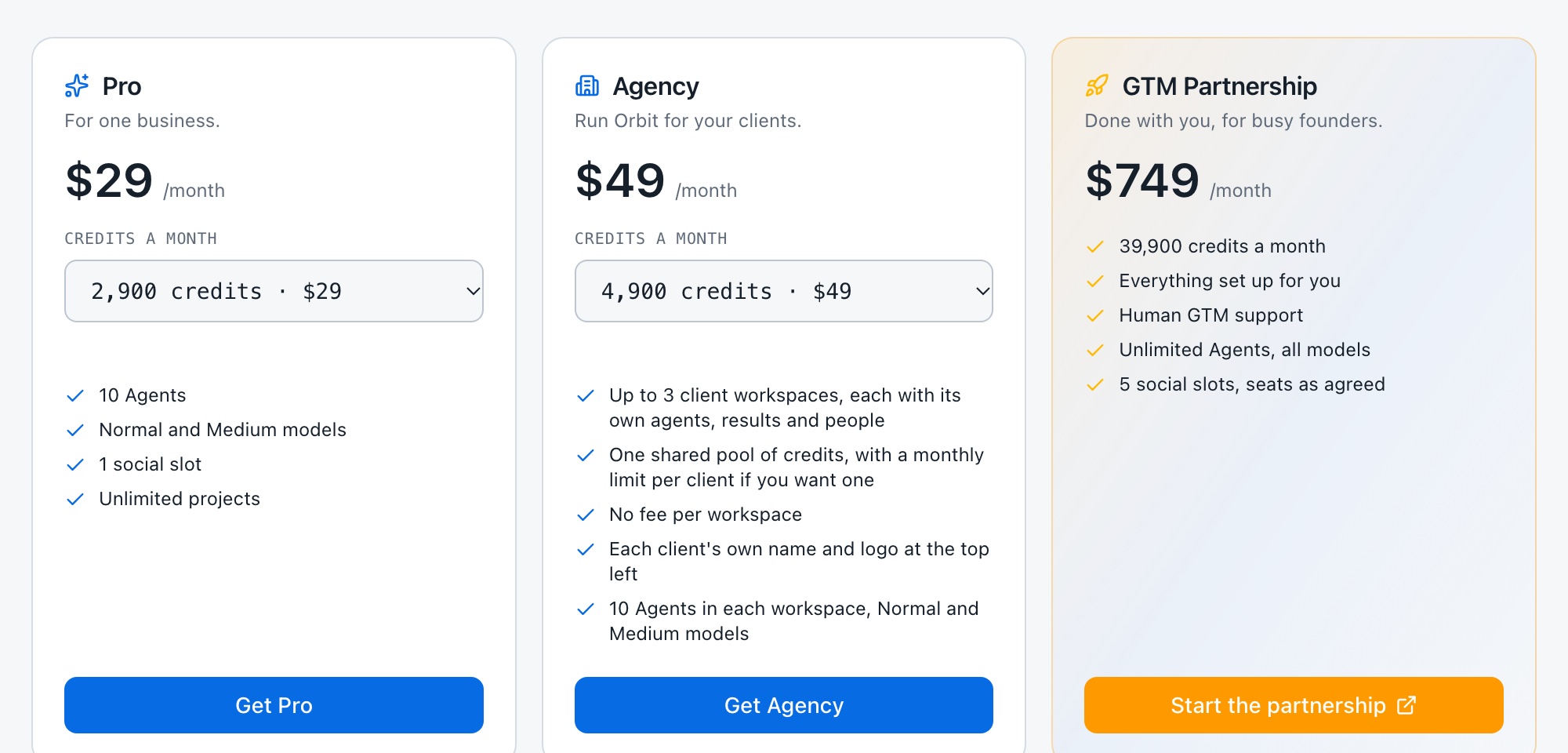
With Agency mode, one price ladder no longer fit everyone. Someone running their own business and someone running agents for thirty clients need different things. So plans are now in three lanes. All of them are monthly.
Pro is for one business.
| Price a month | Credits | What it includes |
|---|---|---|
| $29 | 2,900 | 10 agents, Normal and Medium models, 1 social slot |
| $69 | 6,900 | 20 agents, Max model access, 2 social slots, 3 seats |
| $149 | 14,900 | Unlimited agents, all models, 3 social slots, 10 seats |
Above $149 the features stay the same and the credits go up, in steps to $800 a month for 90,000 credits.
Agency is for client work.
| Price a month | Credits | Client workspaces |
|---|---|---|
| $49 | 4,900 | 3 |
| $119 | 11,900 | 10 |
| $249 | 27,500 | 25 |
| $499 | 56,000 | 50 |
Larger steps go up to 500 client workspaces. Each client workspace gets Pro features at $49, the $69 features at $119, and unlimited agents and all models from $249.
GTM Partnership is for people who want it done with them. It's $749 a month with 39,900 credits. Everything is set up for you, with human GTM support, unlimited agents and all models.
Free stays as it was: 100 credits to start, then 5 free credits a day, 3 agents and the Normal model.
Credits are priced at cost. One credit is $0.005 of real cost. If you run out, top-ups are $15 per 1,000 credits, and they don't expire while the workspace is active.
Smaller things from the same weeks
- Files in chat. Upload, drop or paste files. Up to 20 MB on every plan, and up to 200 MB from the $69 plan up. Every file is read once so agents can search inside it.
- Live pages in chat. HTML an agent produces runs live in chat, in Files and on share links.
- Agents remember what you tell them in chat, and can read older turns of a conversation.
- Questions in chat. An agent can ask you with a small form instead of guessing.
- Trackers. Every change saves by itself, rows can be tagged and filtered by tag, and rows show a person's or company's picture.
- Pause all agents. One switch for the whole workspace.
- Your own MCP server as a tool. Add it and agents can use its tools.
- Google Search Console. A read-only connector with a setup guide.
- Instantly. Agents can read the Unibox, reply and forward.
- Low credits email. The owner is emailed when a workspace drops under 30 credits.
Try it
Everything above is in the app now at app.orbitagents.xyz. Orbit is free to start, with 100 credits and no card. Build the AI empire that runs with you, the operating system for Claude, Codex, ChatGPT and more.
Frequently asked questions
- What is Agency mode in Orbit?
- Agency mode lets you run Orbit for your clients. Each client gets its own workspace with its own agents, results and people, and all of them spend one shared pool of credits. There is no fee per workspace. Your plan step sets how many client workspaces you can have.
- Can I limit how many credits one client uses?
- Yes. You can set an optional monthly limit on each client workspace, so one client can't use more than its share of the pool.
- What is the difference between a workflow and an agent?
- An agent does one job. A workflow links agents on a canvas, so when one finishes, the next starts with what it produced. A workflow can begin by hand, on a schedule or from a webhook.
- Can an agent change its own schedule without me?
- No. An agent sets or changes a schedule only when you ask it in chat. A scheduled or automatic run can't change a schedule, and a new agent is never created until you press Add.
- Is there an annual plan?
- No. All plans are monthly.
Build your autonomous AI company
Orbit gives your AI clients shared memory, provisioned tools and agents that run like trained employees.
Get started free